
ShopBack: Cashback & Rewards
ShopBackShopping
3.7742.00 Reviews
- Version
- 6.25.0
- Installs
- 50.00M
- Age Rating
- Everyone
Screenshots

Our Review of ShopBack: Cashback & Rewards
 Analysis by Appyee
ShopBack: Cashback & Rewards is a shopping app from ShopBack that I would describe as a savings companion rather than a replacement for a retailer’s own app. Its main idea is simple: begin eligible shopping or travel bookings through ShopBack, then receive cashback when the transaction qualifies. That extra step can be worthwhile, but it also means the app rewards careful habits more than casual browsing.
I tested it with the mindset of someone who wants to save without turning every purchase into a research project. The experience is most useful when I already know where I want to shop and can take a moment to check ShopBack first. It is less compelling when I need the fastest possible checkout or when I am comparing prices across several stores and do not want another condition to track.
As a free shopping app for Everyone, it is approachable for households, students, frequent online shoppers, and travelers who regularly book through their phone. ShopBack has been available since Jul 3, 2016, and its broad reach is reflected in over 50 million installs. That scale makes it feel like an established tool, although popularity alone does not guarantee that every transaction will be equally smooth.
How ShopBack feels in everyday use
I find ShopBack easiest to judge as a small pause before a purchase, not as a shopping destination in its own right. This section looks at how that extra step fits into ordinary routines and why the benefit depends on the kind of purchase I’m making. From there, it’s worth considering what a user can actually check and control before deciding whether to rely on it.
A quick first impression, with an important extra step
The central workflow is easy to understand. I open the app, look for a retailer or travel option, read the available cashback information, and continue through the app before completing the purchase. The important detail is that ShopBack needs to be part of the route to the purchase. If I simply buy from a retailer as usual, I should not expect the cashback process to happen automatically.
That makes the app feel fast when I use it before a planned purchase. I am not opening it to browse endlessly; I am using it as a checkpoint. For example, if I am replacing household supplies, I can search ShopBack before visiting the retailer directly. If the offer suits the purchase, the extra tap or two can make sense. If the store is unfamiliar or the terms are complicated, I slow down and read before proceeding.
The current version is 6.25.0, and my general impression is that ShopBack is designed for short, purposeful sessions. It does not need to become a permanent shopping destination on my phone. I can check an offer, start the transaction, and return later to review progress. That focused pattern is one reason the app feels less demanding than a full marketplace packed with product listings.
Where the speed advantage disappears
The app itself may open quickly enough for a simple check, but the complete experience depends on more than loading the ShopBack interface. The retailer’s page, the booking flow, the network connection, and the handoff between services all affect how long the process feels. I would not judge the app solely by how quickly its home screen appears.
This is especially noticeable during travel planning. A flight, hotel, or other booking can involve several pages, changing availability, and payment details. ShopBack can be useful at the beginning of that journey, but it cannot make the external booking process instant. I treat the cashback check as one step in planning, not as a shortcut around the normal booking experience.
There is also a mental speed issue. The fastest way to shop is often to open a familiar retailer and pay immediately. ShopBack asks me to pause, verify the route, and remember that the transaction began there. For a small purchase, that pause may not feel worthwhile. For a larger planned order or travel booking, the same pause is easier to justify.
A realistic weekly shopping scenario
Imagine I need cleaning products and a few pantry items on a Sunday evening. My usual habit would be to open a retailer’s app, add everything, and check out. With ShopBack, I first search for that retailer and inspect the cashback details. If the offer applies to the products I need and the final price remains competitive, I start shopping from ShopBack.
I then keep the order simple. I avoid opening several competing tabs, switching between apps, or changing the route midway through checkout. After payment, I keep the order confirmation so I can compare it with the activity shown in ShopBack later. This is a small but useful discipline: cashback is easier to follow when I keep a record of what I bought and when I started the transaction.
In this situation, the app adds value without changing my shopping decision. I was going to buy the items anyway, and ShopBack becomes a savings checkpoint. If I had to buy a different brand or pay more just to chase cashback, I would stop and choose the better overall deal instead. The reward should complement a sensible purchase, not control it.
Heavy-use moments expose the real trade-offs
ShopBack is more demanding when I use it across several purchases in one session. I may compare multiple retailers, open offer details, return to the search results, and then begin a transaction. That is where organization matters. I prefer to decide on one retailer at a time rather than launching several shopping journeys and hoping the app keeps every path clear.
Travel bookings create another heavy-use moment. A booking can be expensive and time-sensitive, so I want to confirm the destination, dates, room or transport choice, and final terms before relying on any reward expectation. The app can help me begin from the right place, but it is not a substitute for checking the booking details on the partner’s side.
My practical advice is to use ShopBack before the purchase, not during a rushed checkout. If I am already on the payment screen of another app, I would rather finish carefully than abandon the cart and reconstruct the order just to start through ShopBack. The possible saving is not worth creating a duplicate order or losing a limited item.
Reliability depends on a clean workflow
The most important reliability lesson is that cashback tracking is connected to how I begin and complete the purchase. I make sure I start from the relevant ShopBack page, avoid unnecessary detours, and keep the transaction in one continuous flow. This is not difficult, but it is different from ordinary shopping, where the route to checkout usually does not matter.
I also avoid treating a pending reward as immediate money. My personal workflow is to keep receipts, note the retailer, and check the activity after the order. That gives me a sensible reference if I later need to understand what happened. It also prevents me from spending based on money I have not yet received.
When something feels slow or unclear, I first separate the possible causes. The ShopBack screen may be fine while the retailer page is taking time, or the booking service may be processing a request independently. This distinction is useful because restarting everything too quickly can create confusion. I prefer to wait for the current page to settle, confirm whether the order went through, and only then decide what to do.
That recovery habit matters more than a polished first impression. A shopping app is not truly convenient if a moment of uncertainty leads to duplicate purchases. ShopBack works best when I use it deliberately and keep confirmation details until the order and reward activity make sense together.
What happens when the app or connection interrupts the process?
I would handle an interruption conservatively. First, I check whether the retailer or travel provider shows a completed order. If payment has already been accepted, I do not immediately repeat the purchase. I then reopen ShopBack and review the relevant activity when possible. This approach is slower than pressing “buy” again, but it protects me from accidental duplicates.
If I am only browsing and nothing has been submitted, restarting the search is straightforward. If I am in the middle of payment, I treat the external retailer’s confirmation as the priority. ShopBack is the starting point for the reward journey, while the retailer or booking provider remains the place where the actual order is completed.
I find this separation helpful for setting expectations. The app can make the cashback route easier to discover, but it cannot remove every dependency created by online shopping. Users who want a single screen that controls the product, payment, delivery, and reward will probably find the process less direct than a retailer’s own app.
Resource demands and device limitations
ShopBack is not a game or a creative editor that I would expect to place a heavy load on a phone during ordinary use. My sessions are usually short, centered on searching, checking an offer, and moving into a purchase. The more realistic resource concern is not constant intensive use; it is how many browser pages, retailer screens, and other shopping apps I keep open around it.
On an older or entry-level phone, I would keep the workflow tidy. Closing unused apps, maintaining a stable connection, and avoiding several simultaneous retailer sessions can make the experience easier to recover if the operating system reloads a page. These are sensible precautions for any mobile shopping journey, but they matter more here because the route through the app can affect how I track the purchase.
The minimum operating system is Android 8.0, so anyone using an older Android device should check compatibility before planning around it. For supported phones, the app is free to install, which lowers the cost of trying it. The content rating is Everyone, making it suitable for a broad audience, although younger users should still understand that shopping and booking involve real spending decisions.
I would not choose ShopBack based on the hope that it will transform an outdated phone into a fast shopping device. If the device struggles with modern retailer pages, the external store may remain the bottleneck. The app can be a useful layer on a capable phone, but it cannot compensate for weak connectivity, limited storage, or a browser that frequently reloads.
How it compares with the usual alternatives
The most obvious alternative is shopping directly through a retailer’s app or website. Direct shopping usually wins for simplicity: I know where I am going, I can use the retailer’s account tools, and there is no separate cashback path to remember. ShopBack wins when I am willing to add a checkpoint in exchange for the possibility of earning cashback on a purchase I already planned.
Another alternative is a bank card reward or a general rewards program. Those options may be more automatic because they are attached to the payment method or account I already use. ShopBack is more flexible in a different way: it encourages me to choose the shopping route before checkout. That can be useful when I compare several retailers, but it also means I need to pay attention to the starting point and transaction flow.
Price-comparison tools are also worth considering. A comparison site may help me find the lowest listed price, while ShopBack adds a reward layer to the purchase route. I would never assume the cashback offer makes the total deal cheaper. I compare the final price, delivery cost, product choice, and convenience first, then treat cashback as a possible advantage rather than the only measure.
This is where my strongest recommendation comes with a condition: use ShopBack alongside normal price checking. It is not automatically the best option for every retailer, every item, or every booking. A direct sale, a better coupon, or a more convenient checkout can be the smarter choice even when ShopBack displays an attractive reward.
Who will benefit most from it?
ShopBack suits people who make planned online purchases and are comfortable inserting one extra step before checkout. It is particularly practical for someone who shops from several participating stores and wants one place to begin those journeys. Travelers may also appreciate having a cashback check before booking, provided they are willing to read the booking details carefully.
It is less suitable for impulse purchases, urgent orders, or anyone who finds reward tracking stressful. If I am buying something time-sensitive, the direct retailer route may be better. If I dislike keeping receipts or checking whether a transaction progressed as expected, the app may feel like administrative work rather than a benefit.
I would also skip it when the cashback possibility changes my buying behavior in an unhealthy way. A reward should not persuade me to buy more, choose a worse product, or ignore the final cost. The app is most effective when it sits quietly behind decisions I have already made for practical reasons.
My performance and usability verdict
After using ShopBack as a pre-purchase checkpoint, I see its performance as purposefully lightweight rather than spectacular. Short sessions feel natural, while long comparison sessions and complex bookings require more patience. The app’s perceived speed is often shaped by retailer pages and travel services, so I would judge the whole route instead of expecting ShopBack alone to control it.
Stability is best when I keep one transaction focused, avoid unnecessary switching, and preserve order confirmations. Recovery is manageable when I check whether an order was completed before trying again. Those habits are not glamorous, but they are the difference between a useful cashback routine and a confusing shopping detour.
ShopBack has a 3.7 average from around 494 thousand ratings, with over 700 written reviews shown alongside that feedback. I read that overall response as a reason to approach it realistically: many people can find value in the concept, but the experience is not guaranteed to feel effortless in every shopping situation.
My final view is positive with clear limits. I would recommend it to a careful shopper who already buys online and is happy to verify the route, compare the final deal, and wait for the transaction to make sense. I would not recommend replacing every direct purchase with it, especially when speed or certainty matters more than a possible reward.
ShopBack is free, and that makes experimentation reasonable for users with a compatible phone. Start with a planned, non-urgent purchase, keep the order simple, save the confirmation, and compare the complete cost with the direct alternative. If that routine feels comfortable, the app can become a useful savings layer. If it feels like too much monitoring for too little benefit, the retailer’s own app or a simpler payment-based rewards option may suit you better.
Verdict
Strengths of ShopBack: Cashback & Rewards
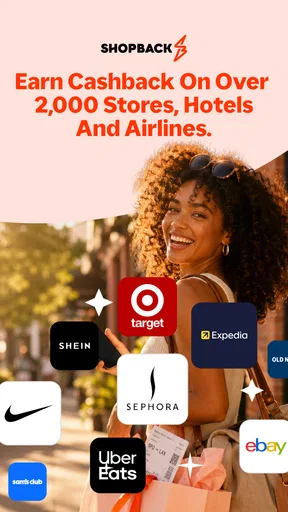
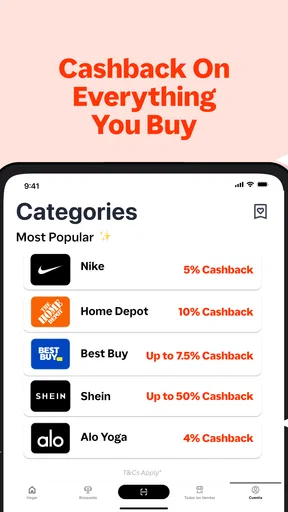
- Cashback is available across many popular shopping categories and retailers.
- The app regularly offers boosted cashback promotions and limited-time bonuses.
- Rewards can often be redeemed through several payout options.
- A clear transaction history helps track pending and confirmed cashback.
- Useful shopping links and alerts make it easier to find active offers.
Limitations of ShopBack: Cashback & Rewards
- Cashback may remain pending for weeks before it becomes payable.
- Some purchases are excluded or require strict terms to qualify.
- Rates and participating merchants can vary by country and region.
- Tracking may fail if cookies, ad blockers, or other shopping extensions interfere.
- Customer support resolution times can be slow for missing cashback claims.
Similar Picks in This Category
View All
SHEIN-Shopping Online
Roadget Business PTE. LTD.4.8

Amazon Shopping
Amazon Mobile LLC4.4


Mercado Libre: Compras online
Mercado Libre4.8

Wish: Shop and Save
Wish US Holdings LLC4.7

Alibaba.com - B2B marketplace
Alibaba Mobile4.4
Frequently Asked Questions
What is ShopBack: Cashback & Rewards, and how does it work?
ShopBack is a cashback and rewards platform that lets you earn money back when you shop through participating retailers in the app or website. After selecting a store, you usually need to follow ShopBack’s tracking link and complete your purchase in the same session. Once the retailer confirms the transaction and any return period has passed, the cashback becomes available according to the stated terms.
Is ShopBack: Cashback & Rewards free to download and use?
Yes, ShopBack is generally free to download and use, and creating an account does not normally require a subscription fee. The app earns revenue through partnerships with retailers, while eligible users receive part of the commission as cashback. However, individual offers may have specific conditions, such as minimum spending requirements, exclusions, limited-time promotions, or different withdrawal rules.
How can I withdraw my cashback from ShopBack?
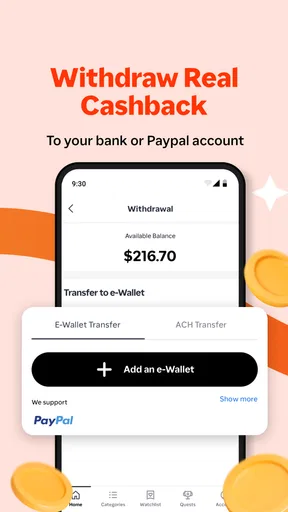
Withdrawal options depend on your country and the payment methods supported in your ShopBack account. In many regions, users can transfer eligible cashback to a bank account, digital wallet, or another supported payment service after reaching the minimum withdrawal amount. You may need to verify your identity or payment details, and pending cashback cannot usually be withdrawn until the retailer confirms the purchase.
Why is my ShopBack cashback pending, missing, or rejected?
Cashback may remain pending because ShopBack is waiting for the retailer to confirm that the order was completed and not returned, cancelled, or refunded. Tracking can also be affected by using another coupon, switching devices, blocking cookies, leaving the app during checkout, or purchasing excluded products. If cashback does not appear, review the offer terms and submit a missing cashback claim with your order information.
Are there important restrictions or risks when using ShopBack?
ShopBack is straightforward to use, but cashback is not guaranteed on every purchase. Offers can exclude certain products, shipping costs, taxes, gift cards, subscriptions, or orders using unauthorized promotional codes. Cashback rates may change, and rewards can be reversed after returns or cancellations. Before shopping, check the retailer’s conditions carefully, keep your order confirmation, and avoid using competing cashback extensions or links during checkout.
